On this page
Key takeaways
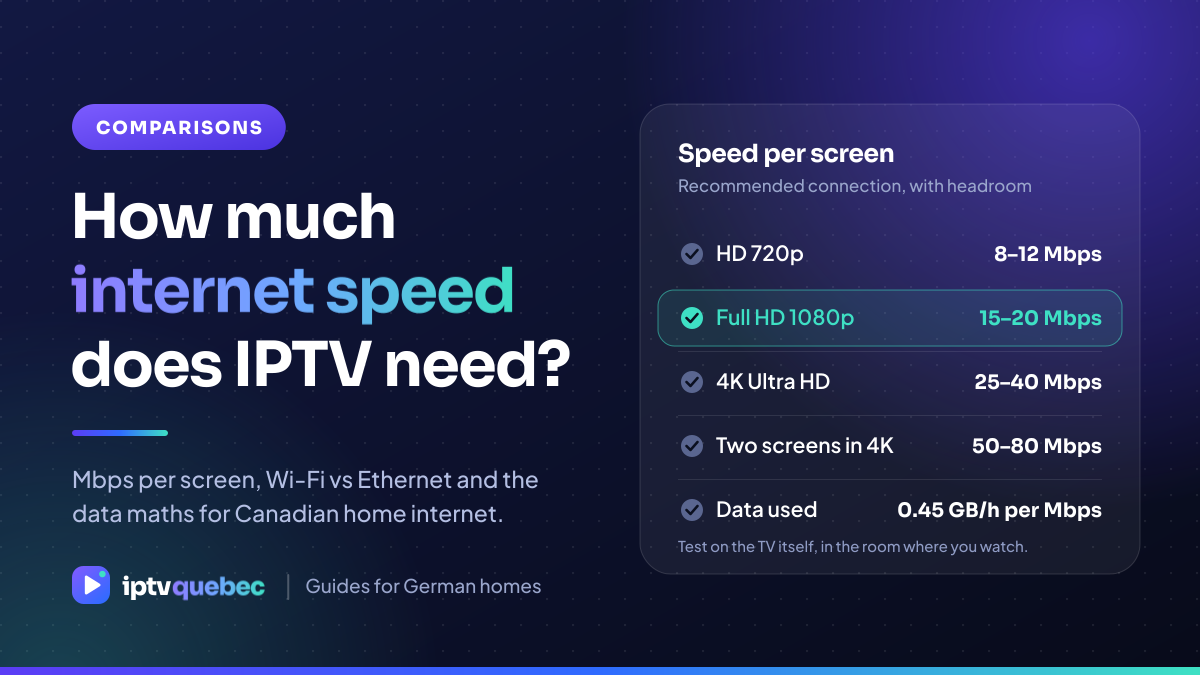
- Plan for 8–12 Mbps for HD, 15–20 Mbps for Full HD and 25–40 Mbps for 4K, per screen, with headroom.
- A 100 Mbps home plan is comfortable for one or two screens. Households with several 4K screens should look at 300 Mbps or more.
- Use Ethernet or a strong 5 GHz signal. In apartments and condos the 2.4 GHz band is usually crowded.
- Every 1 Mbps of stream uses about 0.45 GB per hour. If your plan has a monthly data allowance, do the maths before you watch.
The short answer
IPTV is an ordinary video stream, so the speed you need depends on picture quality and on how many screens play at once. The numbers below include headroom, because a stream that sits exactly at the limit of your connection will buffer.
| Picture quality | Recommended per screen | Typical use |
|---|---|---|
| HD 720p | 8–12 Mbps | Phones, tablets and small TVs |
| Full HD 1080p | 15–20 Mbps | Most televisions |
| 4K Ultra HD | 25–40 Mbps | Large 4K televisions |
| Two screens in 4K | 50–80 Mbps | Two rooms at once |
Which home internet plan is enough
Canadian providers sell plans from about 50 Mbps up to 1 Gbps and beyond. Whether you are with Bell, Rogers, Telus, Vidéotron, Cogeco, Eastlink or a smaller provider, the numbers are the same. A 50 Mbps plan can handle one HD or Full HD screen. A 100 Mbps plan is comfortable for one or two screens, and 300 Mbps or more suits households that stream in 4K in several rooms while others work, game and video call.
Download, not upload: IPTV uses your download speed. Upload only matters for video calls and cloud backups.
Wi-Fi or Ethernet?
- Ethernet is the most reliable. If the router is near the TV, use a cable.
- 5 GHz Wi-Fi is fast but has a shorter range. Keep the router in the open and as close to the TV as you can.
- 2.4 GHz Wi-Fi reaches further but is crowded, especially in apartments and condos.
- Mesh systems and powerline adapters help when the TV is far from the router.
The data maths
One megabit per second for one hour is about 0.45 GB. Use it to estimate your monthly use.
| Quality | Speed used | Per hour | Per 3 hours |
|---|---|---|---|
| HD | 10 Mbps | 4.5 GB | 13.5 GB |
| Full HD | 15 Mbps | 6.8 GB | 20.3 GB |
| 4K | 25 Mbps | 11.3 GB | 33.8 GB |
Many Canadian plans are unlimited, but some wireless, rural and satellite services have a monthly allowance. Check your bill before you plan a long weekend of sport.
Test before you rely on it
- Run a speed test on the TV itself or on a device next to it, not in another room.
- Test at the busy time you watch, usually in the evening.
- Switch to Ethernet for one evening to compare. If the picture improves, Wi-Fi was the problem.
- Use the backup line if a stream struggles. Switching takes a few seconds.
Frequently asked questions
How much internet speed do I need for IPTV?
About 8–12 Mbps for HD, 15–20 Mbps for Full HD and 25–40 Mbps for 4K, per screen, with headroom for other devices at home.
Is 50 Mbps enough for IPTV?
For one HD or Full HD screen, yes. For several screens or 4K, choose 100 Mbps or more.
Why does my picture buffer when my speed test looks fine?
Usually the problem is Wi-Fi between the router and the TV, not the plan. Try an Ethernet cable or move closer to the router.
How much data does one evening of IPTV use?
About 0.45 GB for every Mbps of stream per hour. At 15 Mbps, three hours is roughly 20 GB.
Does IPTV use upload speed?
No. IPTV uses download speed. Upload speed only matters for video calls and cloud backups.
Choose your IPTV Quebec plan
Every plan opens the same channels, films and series. Choose how long you want it and how many screens should play at once: one, two or three connections. Plans start at $17 CAD for one month, or $6.42 CAD a month on the 12-month plan.