On this page
Key takeaways
- For most Canadian living rooms, an Amazon Fire TV Stick 4K Max is the best balance of price, speed and app choice.
- If your TV is a Samsung or LG from 2018 or later, try the built-in app store first. You may not need to buy anything.
- Avoid uncertified “Android boxes” from marketplaces, and check which operating system a new Fire TV model runs before you order it.
- Plug in a network cable wherever you can. A wired connection fixes more buffering than any upgrade to the device itself.
The short answer
There is no single best IPTV device. The right one depends on the television you already own, how you connect it to your router and how much you watch. Our recommendation for most households is simple: try the app store on your TV first, and if it lets you down, buy a Fire TV Stick 4K Max. Everything else in this guide covers the situations where a different device is the better choice.
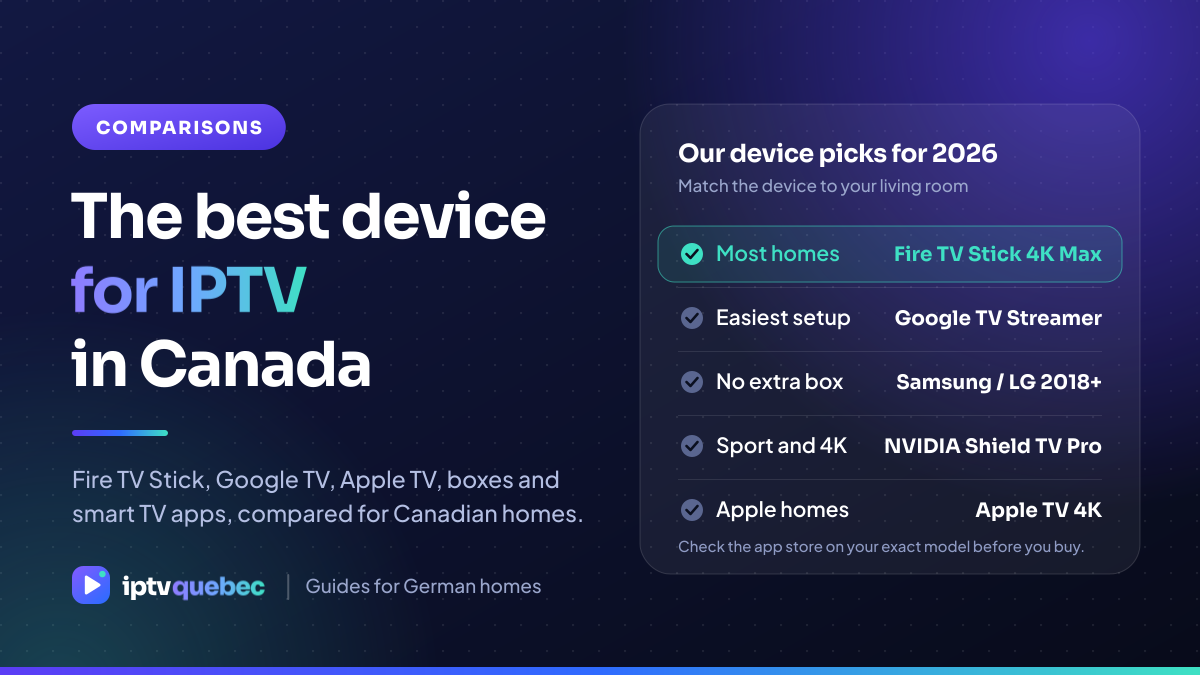
| Your situation | Best pick | Why |
|---|---|---|
| Most living rooms | Fire TV Stick 4K Max | Fast, affordable and widely available in Canada |
| Easiest setup | Google TV Streamer | Clean interface and strong player apps |
| TV from 2018 or later | Samsung or LG app | No extra box or remote |
| Sport and 4K | NVIDIA Shield TV Pro | The most powerful box for demanding streams |
| Apple homes | Apple TV 4K | Smooth and reliable, with paid player apps |
What actually matters in an IPTV device
- An IPTV player app that is available for it. The device is only as useful as the apps in its store.
- Hardware decoding for 4K and HEVC. It keeps playback smooth and cool.
- A fast network connection. Ethernet or a strong 5 GHz Wi-Fi signal matters more than the processor.
- Regular updates. An unsupported device is a security risk and eventually loses apps.
Fire TV Stick: the default choice
The Fire TV Stick 4K Max is the device we suggest to most people. It is quick to set up, supports the main IPTV player apps and is sold by major Canadian retailers such as Amazon.ca and Best Buy. Check which operating system a new model runs before you buy, because newer Fire TV hardware may use a different system with a smaller app catalogue. Our Fire TV setup guide walks through the setup.
Google TV and Android TV boxes
Google TV Streamer and certified Android TV boxes have the widest choice of player apps and are the easiest to set up with a Google account. Stay away from uncertified, no-name Android boxes from online marketplaces: they often run outdated software and are unreliable. See our Android TV and Google TV guide.
Smart TV apps: Samsung, LG and VIDAA
If your TV is from 2018 or later, its built-in app store may already have an IPTV player, which means no extra box and no extra remote. Older models, and some budget sets, have a smaller choice of apps. Step-by-step guides: Samsung, LG and VIDAA.
Apple TV 4K
Apple TV 4K is fast and reliable, and it suits households that already use iPhones and iPads. Most IPTV player apps for it are paid or have a subscription, and the player is separate from your IPTV Quebec plan. See the Apple TV guide.
Dedicated IPTV boxes and computers
Boxes such as the Formuler and BuzzTV are built for IPTV and are popular with people who want a simple remote-driven interface. A Windows PC, a phone or a tablet also works well when you want to watch away from the living room.
Before you buy: Check the retailer’s return policy, make sure the device is sold for the Canadian market, and read the app store listing for the exact model.
Frequently asked questions
Do I need to buy a new device for IPTV?
Usually not. Most smart TVs sold in Canada since 2018, and anything running Android TV, Google TV or Fire OS, can run an IPTV player app. Check the app store first.
Is a cheap Android box from a marketplace a good idea?
We do not recommend it. Many of the cheapest boxes run outdated, uncertified versions of Android, and they are unreliable and sometimes unsafe.
Can I use the same login on my TV and my phone?
Yes. You can install the player on as many devices as you like. Your plan sets how many can play at the same time.
Does a 100 Mbps Ethernet port on my TV slow down 4K?
No. Even a demanding 4K stream needs around 25 Mbps, so a 100 Mbps port has plenty of room.
Choose your IPTV Quebec plan
Every plan opens the same channels, films and series. Choose how long you want it and how many screens should play at once: one, two or three connections. Plans start at $17 CAD for one month, or $6.42 CAD a month on the 12-month plan.